
Avoid costly business card printing mistakes. Learn design, font, color, and layout tips to create professional business cards.
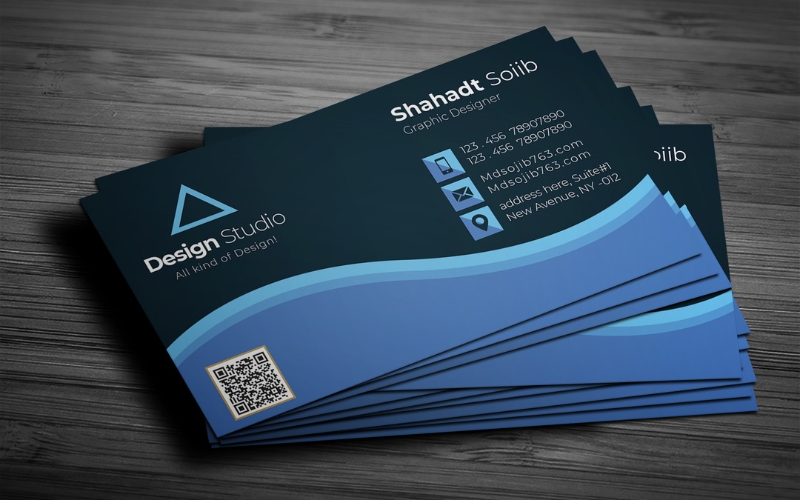
Clean layout improves professional business card printing results.
A well-designed business card helps in establishing your brand. It tells your potential customers important details about your business.
However, quality business card printing Aurora requires careful planning and execution. According to brand presentation research published by Forbes, consistent visual identity increases brand trust and recall. That principle applies directly to business card printing.
Below are the most common business card printing mistakes and how to avoid them.
1. Poor Planning and Design
To print a business card, you need proper planning and design. Often, clients are hasty with the process and fail to consider the key elements. Before you start designing, identify your goals and target audience.
Your aim can be to promote a specific product or to generate leads. Your custom business cards should highlight your expertise in the market.
Take time researching the top trends and design a card that sticks out. Minimalist designs are all in rage now due to their modern appeal. Pay close attention to your design choice.
2. Overcrowding the Card
Another mistake that people make with their fast printing business cards is that they try to include too much information on one small card. For a business card design, less is always more.
Remember, it is not a booklet or brochure. It only introduces your business to your target customers. Thus, you must only include your name, title, company name, contact details, and social media handle.
If you overcrowd the business card with too much information, it will make the business card appear cluttered and unprofessional. Use white space in your business card design as it allows crucial information to stand out.
3. Not Including Contact Information
Plastic business cards are small in size. Yet, it is one of the most powerful and useful marketing tools that let you connect with your target customers or clients, while promoting your brand effectively.
So, while designing your business card, make sure you add your contact details. This is how your customers are going to get in touch with you.
Include your phone number, email address, website URL, and social media handles. Keep in mind that customers prefer having different ways to communicate with a business.
4. Adding Outdated Information
When you are handed a business card with an outdated phone number or email address, you might not consider them to be reputable. What impression will it leave on you if it has information crossed out and rewritten in ink!
It will make a business appear unprofessional and cause it to lose readability. So, make sure you have business cards with updated information on them.
5. Choosing Illegible Fonts
When you are printing cards, the font you choose plays a crucial role. It tells whether your plastic business card will be visually appealing or not. To give it a cohesive design, avoid poor and illegible fonts. Adding more than three fonts can make the card appear chaotic.
This is the reason it is important to maintain coherence and consistency with your fonts. For instance, if it is a minimalist design, choose a simple font to complement it.
Design experts cited in publications like Adobe recommend limiting typography to two complementary fonts for professional cohesion. Avoid using more than three fonts. Consistency reinforces brand identity.
6. Not Using the Back of the Business Cards
The back of the business cards gives you a great opportunity to add more information about your brand. But brands often overlook this space.
To use the business card to its full potential, you should include the company logo or a QR code at the back. It opens up a valuable opportunity to get creative.
7. Not Checking for Grammatical and Spelling Mistakes
It is important you proofread the final design for spelling and grammatical errors. These mistakes tell your customers that you do not care about the brand.
It is important that you inspect the design and content thoroughly to ensure your target customers don’t get turned off by mistake. You can ask someone to proofread for you.
8. Making Poor Colour Choices
The colours you choose for your business card can have an impact on its overall appearance.
Coordinating the colours will make it appear memorable and give your target customers an insight into your business.
Placing dark letters against a dark background can make the business card challenging to read. Some printing services let you use white font.
This will give your card a unique appeal. Make sure you go for colours that are not only in contrast but are also visually appealing. Design business cards that spark positive recall every time they are seen.
Before placing your next business card printing order, review your layout, typography, and brand consistency carefully. Visit The World Beast Business Desk for expert-backed branding insights that elevate your professional image.
