
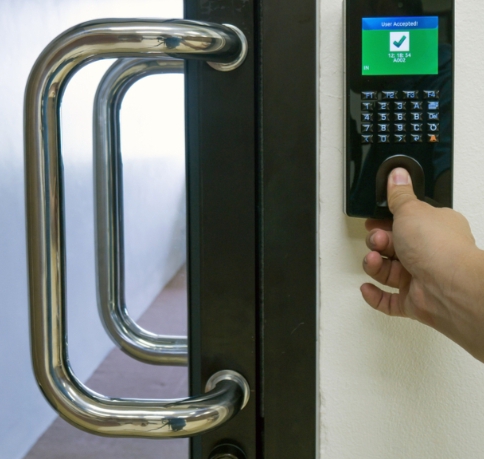
Have you ever fumbled around in the dark trying to find the right key for your front door? Or perhaps you’ve worried about old keys ending up in the wrong hands? If you’ve found yourself nodding, you’re not alone. Digital locks promise a refreshingly modern way to lock and unlock your home, using fingerprint scans, keypads, or smartphone apps. But how difficult is it, really, to install one on your door?
In this post, we’ll talk about the many digital lock options available, how to choose the best one for your door, and the essential steps for a successful installation. We’ll also look into basic troubleshooting tips, routine maintenance, and factors to consider if you’re thinking of making the switch in Australia.
By the end, you’ll be able to identify the right lock type, gather the necessary tools, and install it all by yourself—or, if you prefer, reach out to a professional. We’ll also cover common questions and commercial insights, ensuring you get the best value for your investment. Ready to skip the hassle of old-fashioned keys and enjoy peace of mind? Let’s dive right in.
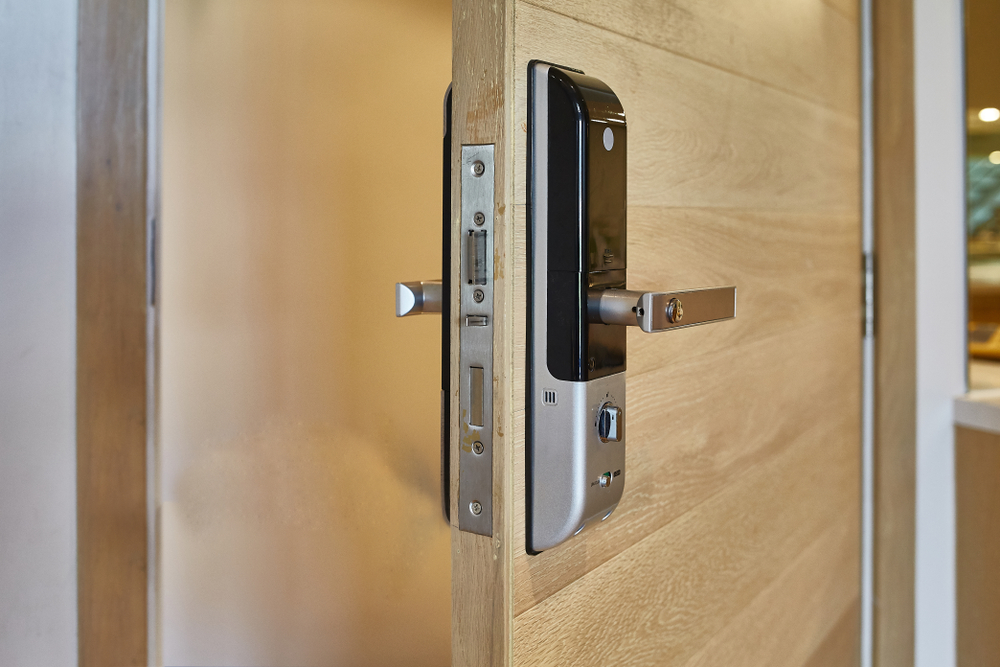
Digital lock door
Understanding Different Digital Lock Types
Digital locks come in multiple variants, each designed to align with different needs and preferences. Some rely on numeric passcodes, while others use fingerprint scans or smartphone connectivity. Before making a choice, it’s helpful to look into each type so you can pick one that complements your lifestyle.
Keypad Locks vs. Biometric Locks
Keypad locks let you punch in a code to unlock your door, eliminating the need for physical keys. Many homeowners in Australia appreciate the simplicity: there’s no worry about lost keys or noisy jingling in your pocket. On the other hand, biometric locks provide an extra layer of security by reading fingerprints or, in some models, even face recognition. This convenient approach is a big plus for individuals who prefer high-tech solutions and want to reduce the chance of codes being shared without permission.
Smart Locks With App Integration
Smart locks are an attractive option for anyone with a smartphone. By connecting via Bluetooth or Wi-Fi, you can develop a “digital handshake” between your phone and the lock. This means you can lock and unlock the door, manage access codes, and sometimes even monitor entry logs through an app. In our modern technological age, these advanced features can be a game-changer, especially if you want to grant temporary access to friends, house-sitters, or cleaners.
Are Digital Locks Secure Enough?
When people hear “digital,” they sometimes think it means more vulnerabilities. However, reputable brands take security seriously, using encryption and tamper-proof designs. While no lock (digital or otherwise) is 100% hack-proof, a top-quality digital lock often surpasses basic mechanical locks in terms of security features. And with routine software updates, you can keep your system protected against evolving digital threats.
Choosing the Right Digital Lock for Your Door
Once you understand the basic types, the next step is to figure out which lock suits your door’s requirements—and your personal preferences. This decision might hinge on factors like door thickness, budget, brand reputation, or even Achievable Difficulty when you’re researching options online.
Assessing Door Material and Structure
Start by examining your door itself. A strong wooden door can usually accommodate most lock types without issue. However, if you have a metal or reinforced door, you might need to make certain adjustments. Measure the door’s thickness and check if it matches the manufacturer’s recommendations for the locks you’re considering. This ensures a proper fit and avoids structural damage.
Comparing Features, Costs, and Brands
Look at the locking features you find most attractive. Do you want biometric scanning, keypad, or smartphone integration? Compare costs and read reviews from other Aussies who’ve installed similar models. A well-known brand might cost more, but it often comes with solid warranties and advanced security.
Do You Need a Professional Installer?
Some digital locks are remarkably easy to DIY, whereas others can be trickier, especially if complex wiring or door modifications are involved. If you have minimal DIY experience, it might be worth seeking a seasoned locksmith. This route often ensures your lock is installed to the highest standard—removing headaches down the line. Plus, a professional can offer tips for ongoing maintenance and answer Top Questions about long-term reliability.
Tools and Materials You Need
It’s time to gather what you’ll need for a smooth installation. You don’t want to get halfway through drilling only to realise you’re missing a crucial piece of kit.
Essential Installation Equipment
At a minimum, you should have a power drill with appropriate drill bits, a screwdriver set, and a measuring tape. If your lock requires a separate latch or strike plate, add a chisel, hammer, and pencil for marking. Always check the lock’s packaging to confirm if it comes with surplus items like mounting brackets or alignment templates.
Safety Gear and Precautions
While fitting a digital lock might sound straightforward, there’s still the possibility of accidents if you overlook basic precautions. Wear protective eyewear to shield against wood or metal shavings when you drill. If you’re installing a wired lock, make sure the power is off before dealing with electrical components. Bear in mind that safety gloves can help reduce the risk of minor cuts or scrapes if you’re chiselling or handling sharp edges.
Quick Wins: Tips for Hassle-Free Setup
Keep track of screws, bolts, and small parts by placing them in a container or on a magnetic tray. It might seem obvious, but it’s surprisingly easy to lose small components. Also, read through your lock’s manual once before you begin. This quick step can save you time by preventing mistakes in the middle of installation.
Preparing Your Door for Installation
Before you begin drilling or wiring anything, you’ll want to set the stage properly. Skipping preparation can lead to misaligned locks or compromised security.
Checking Measurements and Lock Alignments
Start by measuring the backset (the distance from the door edge to the centre of the lock hole). Most digital locks fit standard backsets, but do double-check to confirm an exact match. Use a pencil to mark the spots where the new lock hardware will go. If your lock kit comes with a template, tape it onto the door and mark through it to ensure accuracy.
Removing Existing Lock Mechanisms
If you have an existing lock, remove it carefully. Unscrew the old lock and handle, then pull them free. If it’s an older door that has been painted multiple times, you might need a bit of gentle prying. Be sure not to yank anything aggressively, as this could damage your door and create more work.
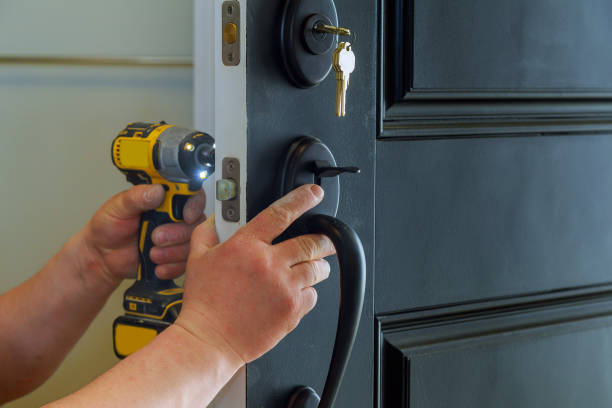
Locksmith
Repairing or Adjusting Door Frames
Look at the door frame where the latch and strike plate meet. If the frame is warped, broken, or the old strike plate holes are misaligned, you might need to fix or patch it. This ensures your new digital lock sits flush and operates smoothly. Even a small gap between the strike plate and the latch can affect your lock’s performance over time.
Step-by-Step Installation Guide
Now, let’s walk through the actual process of fitting your digital lock. Although the exact steps vary by brand, the basic approach stays consistent.
Marking and Drilling Lock Holes
Using your measurements and any provided templates, mark out the holes for the lock cylinder and mounting screws. Next, drill slowly, applying even pressure. If you’re using a hole saw, keep it level to avoid angled cuts. After drilling, check whether the lock’s main body can slide in and out without catching on rough edges.
Fitting the Digital Lock Components
Insert the latch into its hole on the door’s edge, and secure it with screws. Then position the lock assembly through the holes you drilled. Make sure the outside portion and the interior portion line up correctly, enabling the spindle or connecting rod to fit neatly through the latch. Fasten it down with the supplied screws, but do not overtighten. Overdoing it can strip the screws or press the assembly out of alignment.
Wiring and Power Supply Setup
Some locks only need a battery pack, so you won’t have to worry about wiring. Others come with cables that link the interior and exterior components. Carefully feed these cables through the door hole and connect them as instructed. If your lock uses a mains power connection, confirm the circuit breaker is off before any electrical connections are made. Once wiring is done, secure any loose cables to prevent pinching during final assembly.
Programming Your Digital Lock Settings
Once the physical lock is in place, it’s time to set up user codes, fingerprints, or app pairing. Turn the power on, follow the manual’s instructions, and create your primary access code. This is where you’ll also set up any extra user profiles, so family members or close friends can have their own passcodes. Test everything a few times: lock and unlock from both sides, checking that the latch aligns well with the strike plate.
Troubleshooting & Common Questions
Even the finest digital locks can occasionally encounter hiccups. Knowing a few quick fixes can save you from unnecessary frustration.
What If My Lock Doesn’t Power On?
First, check the batteries. If they’re new, look at the battery compartment to make sure the polarity is correct. For wired locks, verify the power source. If those steps don’t help, examine the wiring harness to see if any connections are loose. In some cases, a factory reset can jolt the lock back into operation.
How Do I Reset My Digital Lock Code?
Although the process differs per model, it usually involves entering a master code or pressing a small reset button accessible behind the battery cover. Follow your lock’s official instructions. As a general rule, once the lock is in reset mode, you can enter a new primary code, confirm it, and then re-enter it for validation.
Dealing With Connection or App Issues
If your smart lock refuses to link with your phone, try re-installing the lock’s companion app or toggling Bluetooth/Wi-Fi on and off. Check whether your phone’s operating system is compatible—outdated OS versions might conflict with the lock’s firmware. If all else fails, the manufacturer’s customer support line can help you pinpoint the root cause.
Maintenance and Best Practices
Keeping your digital lock in top shape is relatively simple. The key is regular checks and minor upkeep to confirm everything is functioning as it should.
How Often Should I Change the Batteries?
In most battery-powered locks, standard AA batteries last around six to 12 months, depending on usage. Some locks come with a low-battery warning beep or app notification, giving you a heads-up before they fully drain. To avoid being locked out, make sure you keep backup batteries handy, especially if you’re away from home for extended periods.
Tips on Cleaning and Lubricating Lock Parts
Over time, dust, grime, and moisture can collect on or inside the lock. Wipe the keypad and exterior surfaces with a soft cloth. For the internal latch mechanism, a small amount of graphite or silicone-based lubricant can keep things running smoothly. Avoid oil-based lubricants, which can attract dirt and gunk.
Ensuring Longevity and Reliability
An occasional test—like locking and unlocking multiple times—helps you find any early signs of sticking or malfunction. Also, install firmware updates if your lock has a smart app component. By staying on top of updates, you’re making sure your lock’s security and functionality are always up to date.
Cost and Budget Considerations
Digital locks sit in a wide price range, from budget models to premium devices brimming with features. Deciding what fits your wallet often comes down to balancing initial costs against potential long-term gains.
Budget-Friendly vs. High-End Locks
A wallet-friendly digital lock might offer basic keypad functionality without fancy extras. That can be perfectly fine if all you need is a reliable code entry. Higher-end locks incorporate biometric scanning, remote access via an app, or even built-in cameras. While these top-tier locks cost more, they can deliver unmatched convenience and advanced security—features that might pay off for some homeowners.
Is a Digital Lock Worth the Investment?
Think about how often you replace keys or stress over who might still have a copy. A digital lock can cut those worries, potentially eliminating the need to rekey locks ever again. True, you’re paying more upfront, but the convenience and potential increases in home security might outweigh the price. Plus, if you’re a landlord, you can quickly reset codes between tenants—no need to shell out for new locks every time.
Potential Discounts and Rebates in Australia
Depending on where you live, some home security upgrades qualify for partial rebates or local council incentives. It never hurts to check whether your insurer offers premium discounts for advanced lock systems.
Maximising Security and Commercial Intent
Once your digital lock is installed, how can you strengthen your overall home security? And if you’re exploring this from a commercial viewpoint, what features truly make a lock stand out?
Integrating With Home Security Systems
Digital locks can join forces with alarms, cameras, and even motion sensors. With an integrated smart home security network, you can manage these devices under one hub. That means if the lock is tampered with, an alert gets triggered, and your cameras can start recording. This layered approach is a powerful deterrent to opportunistic intruders.
Preventing Hacks and Unauthorised Access
While robust hardware matters, software is equally crucial. Use a strong admin code and change your PIN regularly. If you’re using a smartphone app, activate two-factor authentication if offered. Hackers and tech-savvy criminals often look for easy wins, so regular software updates and strong passcodes create a more secure barrier.
Competitive Features to Look For
From voice control via smart assistants to video doorbells included with the lock, there’s no shortage of bells and whistles to compare. If you run a business or manage multiple properties, you might need advanced monitoring features like usage logs or remote unlocking.
How to Install a Secure Digital Lock on Your Door – Conclusion
We’ve just explored a detailed roadmap for installing a secure digital lock, covering everything from choosing the right model to basic troubleshooting. The bottom line? Having the right knowledge, tools, and mindset can turn a daunting task into a straightforward DIY project. There’s no need to live with outdated locks when a safer, more convenient solution is within reach.
Before you commit to a specific lock, reflect on factors like door material, budget, and the level of security you desire. Think about whether you need advanced app integration or prefer something simpler like a keypad or fingerprint scanner. If you find yourself stuck, a seasoned installer or locksmith can quickly point you in the right direction—and might save you time correcting any DIY mishaps.
Ultimately, the move to digital locks can offer you peace of mind, unlocking a new sense of control over who enters your home. It’s a step that can boost your property’s value and overall security, making it a worthy investment. Now that you’ve seen how everything works, are you ready to put away those jangling keys and embrace a modern, user-friendly locking system? The choice is yours—so dive in and enjoy the benefits that digital locks can bring.
