
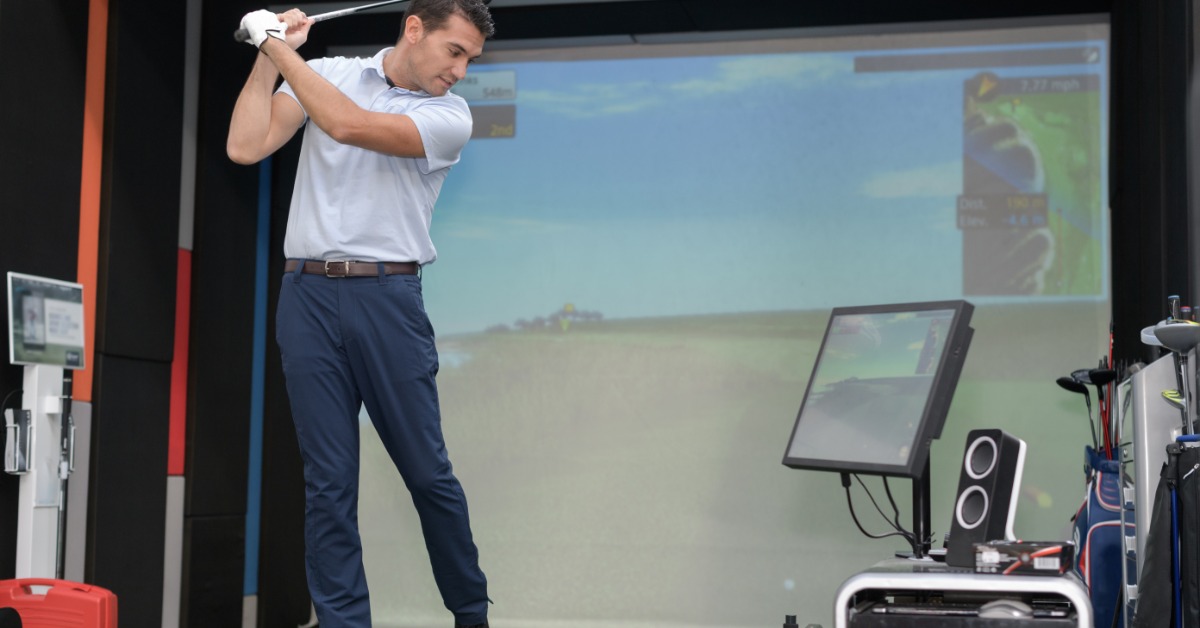
Indoor golf has moved far beyond simple practice nets and basic swing analysis. Modern simulator systems can recreate full rounds, measure detailed shot data, provide structured practice tools, and give players access to digital versions of real-world courses. That range of capabilities can make choosing a system more complex than it first appears.
The right simulator bay should match how you’ll use the space. A private homeowner may prioritize realism and ease of use, while a teaching professional may care more about measurement accuracy and data depth. In this guide, we’ll take a closer look at the key things to look for in an indoor golf simulator, from realism to software and more.
Start With Tracking Accuracy
The tracking system is the foundation of any simulator. It determines how the system reads the club, ball, or both, and how accurately those measurements translate into the virtual shot.
Different systems use cameras, infrared sensors, radar, or combinations of several technologies. Each approach can perform well, but buyers should focus on the quality of the measurements rather than the technology label alone.
Useful ball data may include:
- Ball speed
- Launch angle
- Spin rate
- Spin axis
- Carry distance
- Total distance
- Shot direction
Some systems also measure club speed, face angle, club path, attack angle, and impact location. Players who want detailed swing feedback should look closely at which club metrics the specific simulator includes rather than assuming they all capture the same information.
Consider the Realism of Ball Flight
Ball flight realism is always a key thing to look for in an indoor golf simulator. A well-designed system should reflect the effects of launch, spin, curvature, and speed in a way that feels believable.
A fade should behave like a fade. A low-spin drive should react differently from a high-spin shot. Wedges should respond differently from long irons.
Realistic physics become especially important for experienced golfers, who can recognize quickly when virtual ball flight does not match what they would expect outdoors.
Putting and short-game simulation deserve separate attention. These shots rely on smaller movements and tighter margins, which can make them more difficult to reproduce convincingly.
Look Closely at Course Selection
Course libraries can vary considerably from one simulator platform to another. Some systems focus on fictional environments, while others recreate recognizable courses with detailed terrain, hazards, and visual features.
Course selection matters for both entertainment and practice. A broad library keeps recreational play fresh, while realistic digital courses can help players prepare for unfamiliar layouts.
For golfers who value authentic course play, access to detailed recreations of championship golf courses can add another dimension to indoor practice. Players can experience different architectural styles, elevation changes, approach shots, and strategic decisions without leaving the simulator room.
Evaluate the Screen and Projector Quality
Visual quality has a major effect on immersion. A strong simulation system should produce a clear image without distracting shadows, washed-out colors, or excessive pixelation.
Projector brightness, resolution, throw distance, and placement all influence picture quality. The room itself matters as well. Ambient light can reduce contrast, while ceiling height and room depth can affect projector positioning.
The impact screen should also balance image quality with durability. It must withstand frequent high-speed shots while maintaining a smooth enough surface for a clear projected image.
Check the Space Requirements
Before comparing software packages, buyers should confirm that the room can physically accommodate a simulator. Ceiling height is one of the most important measurements. Players need enough clearance to swing comfortably with every club in the bag.
Room width matters because the hitting position may need to accommodate both right- and left-handed players. A narrow room can force the hitting area off-center, which may limit flexibility.
Depth also affects the setup. Some tracking technologies need a specific distance between the golfer, ball, sensors, screen, or radar unit. Projectors may have their own placement requirements.
Compare Software and Practice Features
Simulator software can turn a basic hitting setup into a much more useful training environment.
Practice modes may include driving ranges, target challenges, club-distance mapping, shot dispersion charts, skills tests, and swing analysis. Some systems also allow players to save sessions and track performance over time.
Serious players may benefit from tools that show patterns across multiple shots rather than focusing only on individual swings. Dispersion data, for example, can reveal whether a club consistently misses in one direction. Coaches may want additional features such as video replay, side-by-side swing comparison, drawing tools, or player profiles.
Review Multiplayer and Entertainment Options
Not every simulator session needs to feel like a lesson. Many buyers want a system that supports casual rounds, family play, or social competition.
Multiplayer modes can make the simulator more useful for groups. Some platforms support stroke play, match play, team formats, closest-to-the-pin contests, and other games.
Commercial venues should examine how easily players can create profiles, start rounds, switch users, and manage game formats. A complex interface can slow down sessions and create unnecessary staff involvement.
Understand Ongoing Costs
The purchase price does not always represent the full cost of ownership.
Buyers should ask about software subscriptions, course fees, support plans, updates, replacement screens, projector lamps, and sensor maintenance. Some systems include updates for a fixed period, while others require ongoing payments.
Hardware upgrades can also affect long-term value. A modular system may allow users to replace a projector or computer without changing the entire setup.
Clear pricing makes it easier to compare systems fairly. A lower initial price may not remain lower after several years of subscriptions and upgrades.
Assess Installation and Technical Support
Even a high-quality simulator can become frustrating if setup and support fall short. Installation quality affects tracking accuracy, projector alignment, image size, screen tension, sensor placement, and player comfort. Buyers should determine whether their purchase includes professional installation or if it’s available as an option, and whether they handle it themselves or through third-party contractors.
Technical support also matters after installation. Software updates, calibration issues, computer problems, and hardware failures can interrupt use.
Before purchasing, review the support process. Find out whether assistance is available by phone, email, remote access, or local service. Commercial operators may need faster response times than residential users because downtime can directly affect customers.
Test the Complete Experience
Specifications provide useful comparisons, but they cannot fully describe how a simulator feels during a session.
Whenever possible, buyers should test the system in person. Hit drivers, irons, wedges, and putts. Try different shot shapes. Use the practice tools, play several holes, and navigate the menus. Pay attention to how quickly the system registers each shot and how naturally the virtual result matches the swing.
A strong indoor golf simulator should make the technology feel secondary to the golf itself. Accurate tracking, believable ball flight, useful software, realistic courses, and a well-designed physical setup should work together without distracting the player.
